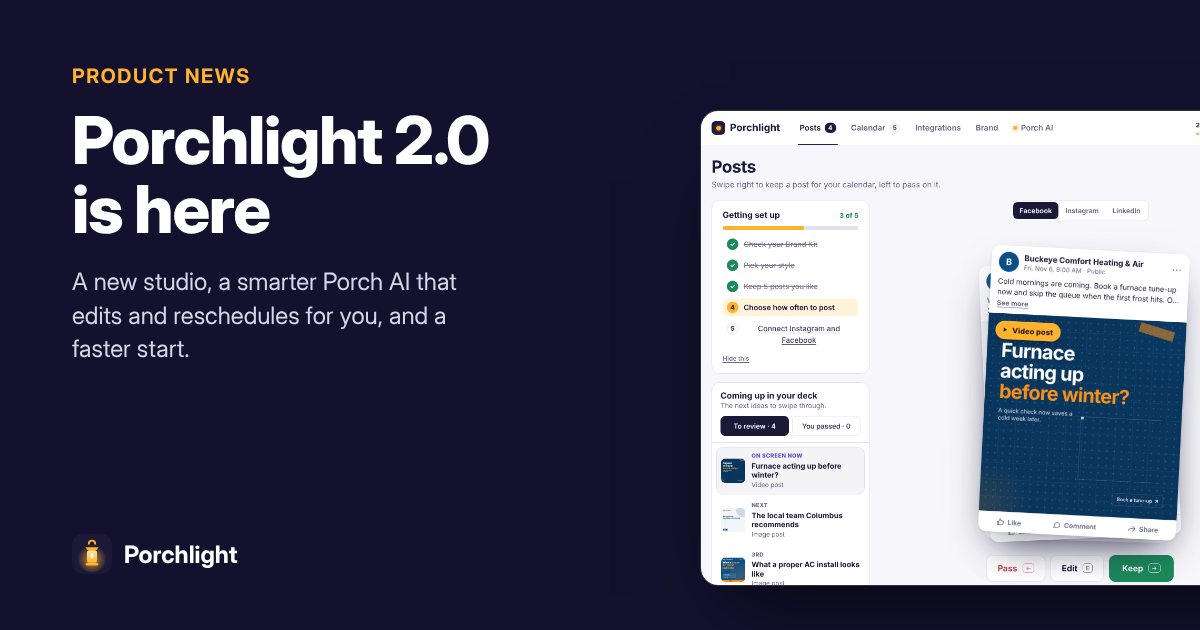
A week after Porchlight 1.0, we've been listening to every owner who tried it. Today we're switching on Porchlight 2.0. It's the same idea, a month of on-brand posts from your website, in a studio that's faster, clearer and does more of the work for you.
Here's what's new.
A redesigned studio
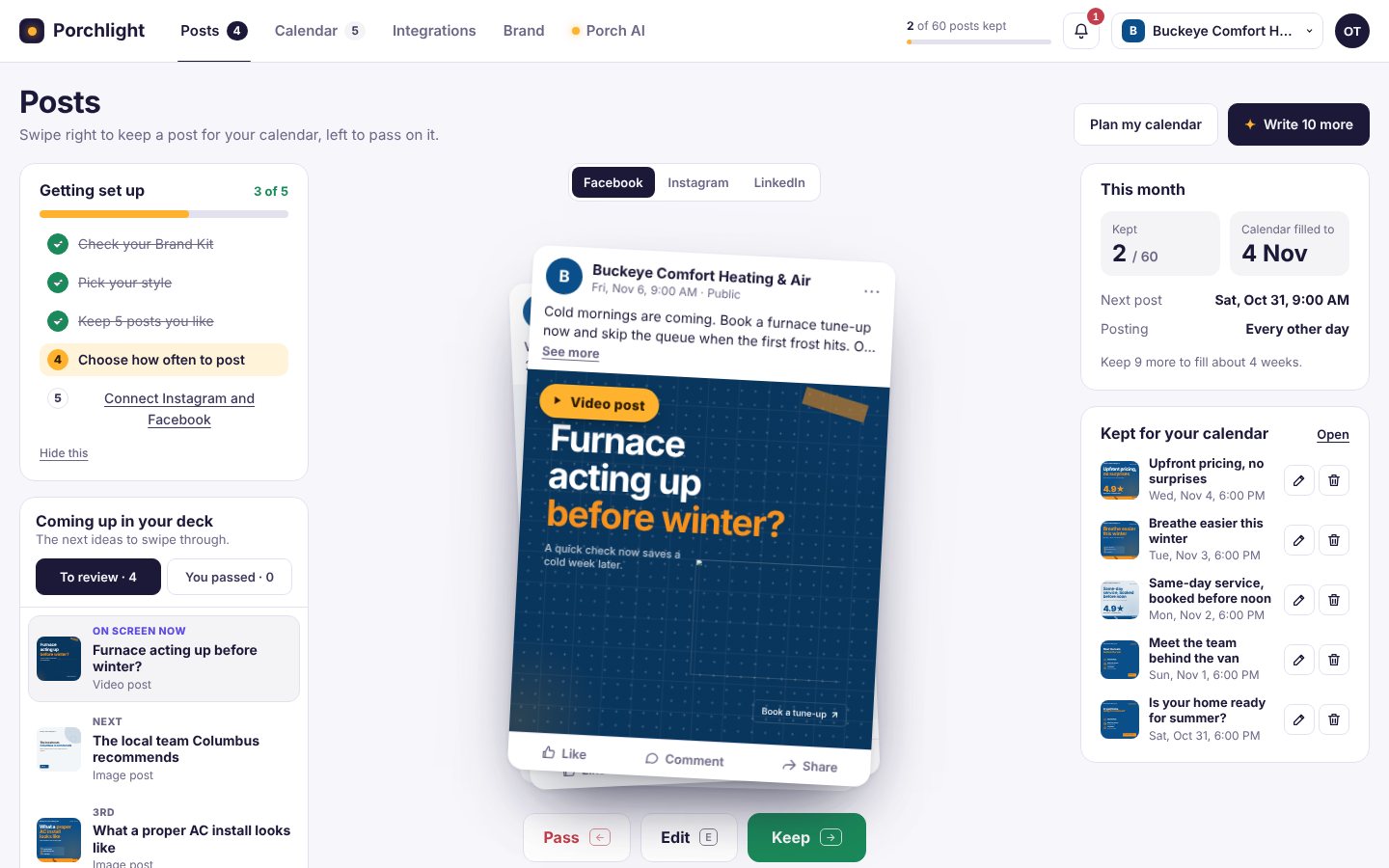
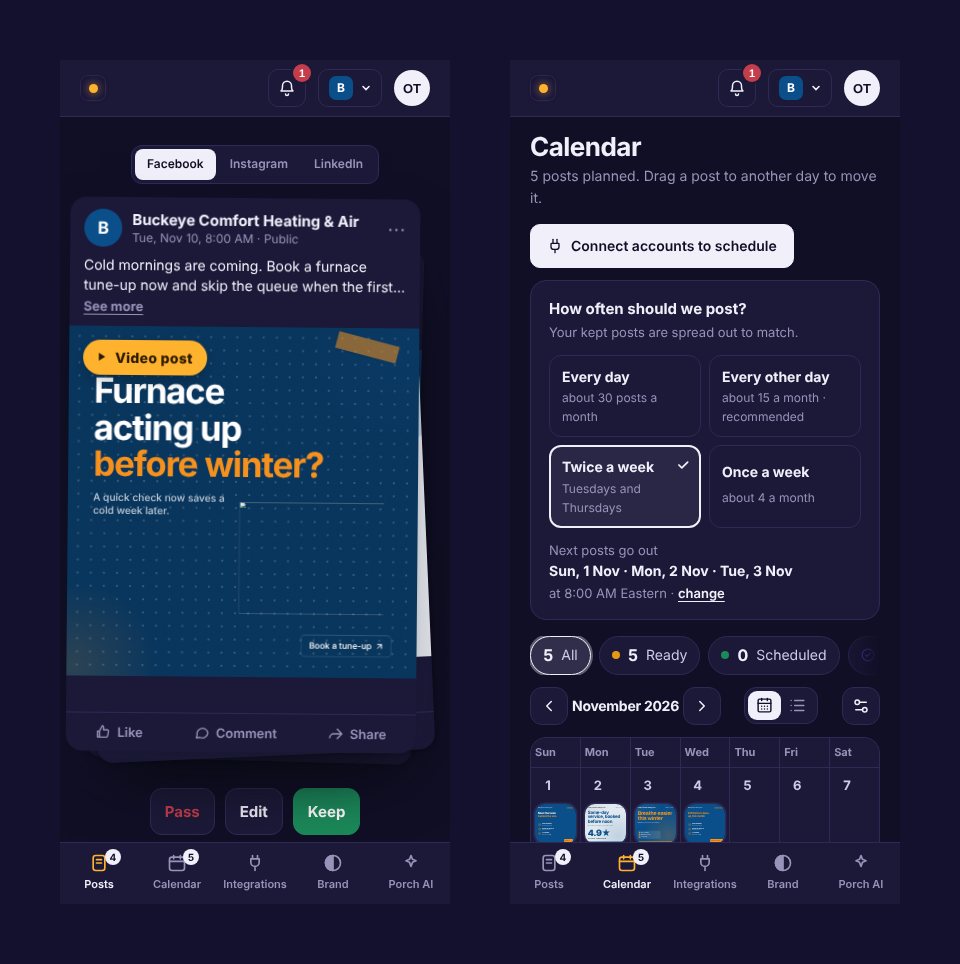
Everything now lives in one clean app: Posts, Calendar, Integrations, Brand and Porch AI, with your business switcher, notifications and account in the top bar. On a phone, the tabs move to the bottom so everything is one thumb away.
- Feed previews. Every post shows exactly how it will look on Facebook, Instagram or LinkedIn, with your page name, caption and buttons, so there are no surprises.
- A getting set up checklist that shows what's left: your Brand Kit, your style, how often to post and connecting your pages.
- This month at a glance. Posts kept, what's going out next and how far you are toward a full month.
- A next batch screen. When you finish a batch, Porchlight shows the next one being written, already shaped by what you kept and passed.
- Dark mode, everywhere, and properly checked on every screen size.
Porch AI: an assistant that actually does things
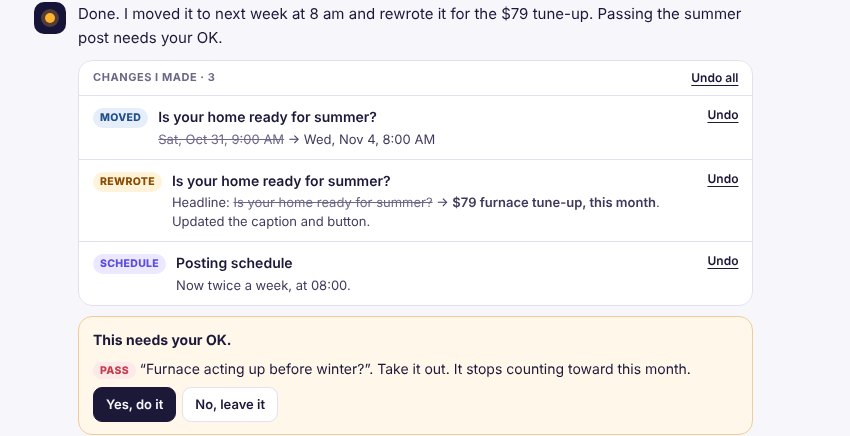
Porch AI is the biggest change in 2.0. It's a chat that knows your business and remembers what your website doesn't say.
It remembers your rules. Tell it "we never show prices", "we're closed on Sundays" or "free boiler check with any repair until the end of November", or drop in your brand guide, price list or photos. It saves each one to your brand memory, and every new post, caption and redesign follows them.
It changes your posts for you. Pick one or more posts with the new + Posts button and just say what you want:
- "Move these to next week, mornings are better for us"
- "Make this one about our $79 tune-up"
- "We're closed Monday the 9th"
- "Post twice a week from now on, at 8 am"
Porch AI reschedules, rewrites the headline, caption and button, updates your posting schedule and saves new facts, all in one go. Every change is listed under Changes I made with an Undo button, and Undo all if you change your mind.
You stay in control. Anything that affects your monthly allowance, like keeping or passing a post, waits for your OK. Posts already sent to your networks are never touched.
It's built to be safe. Porch AI can only change the posts in your own business. It can't publish, connect accounts or see payment details. Files and posts are treated as information, never as instructions, so a document can't trick it into doing something you didn't ask for. Links to other websites are stripped from anything it writes, and every change can be undone.
A smarter calendar
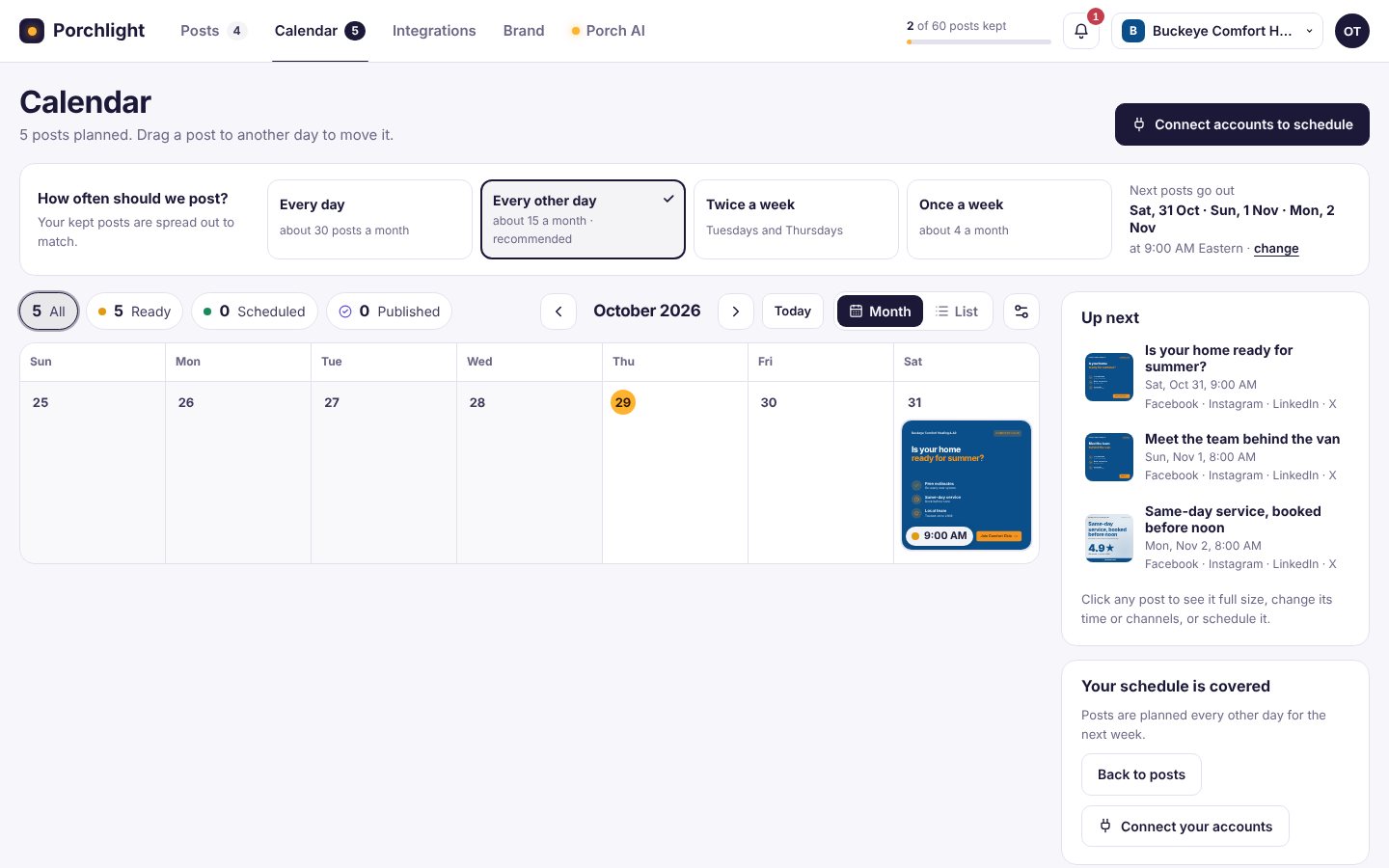
Choose how often you want to post: every day, every other day, twice a week or once a week. Porchlight spreads your kept posts to match, shows what's up next and highlights the free slots you can fill. Drag a post to another day to move it.
A faster, friendlier start
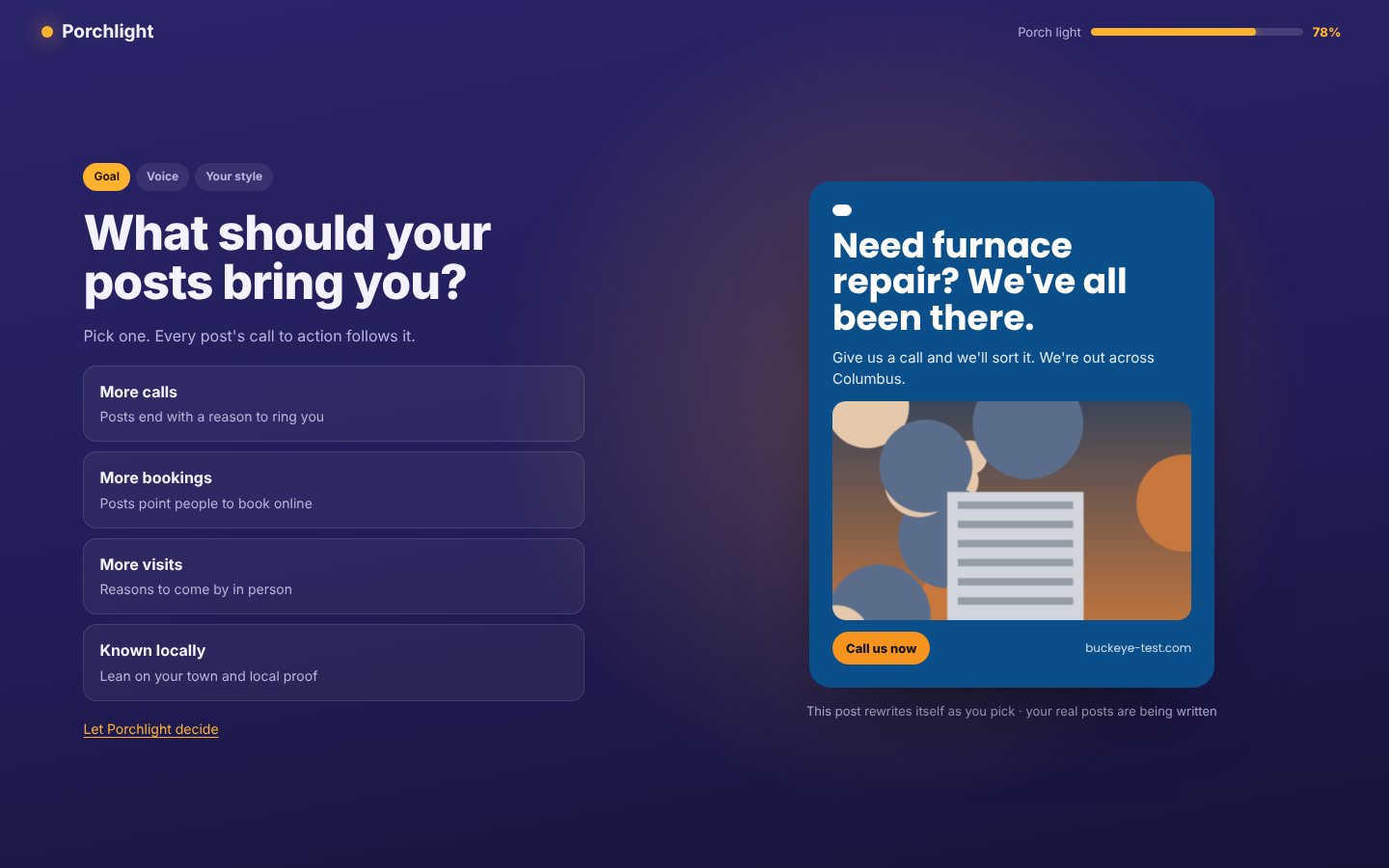
While Porchlight reads your website, you answer a few quick questions: what you want posts to bring in, how you want to sound and who your customers are. Then you play a short game of "this or that" between two designs made from your own site.
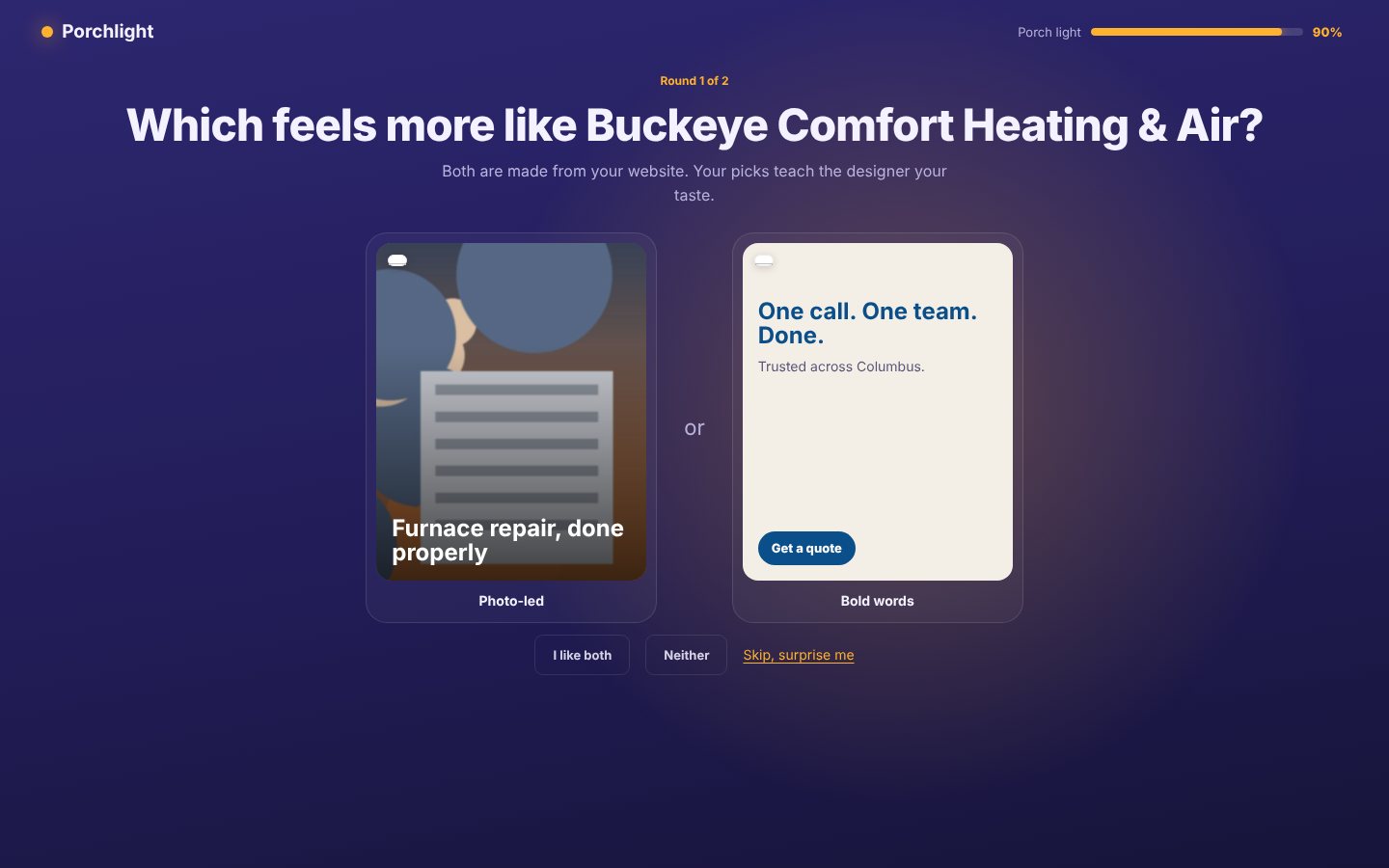
Your answers shape the very first batch, and they're saved to your brand memory, so Porch AI keeps following them.
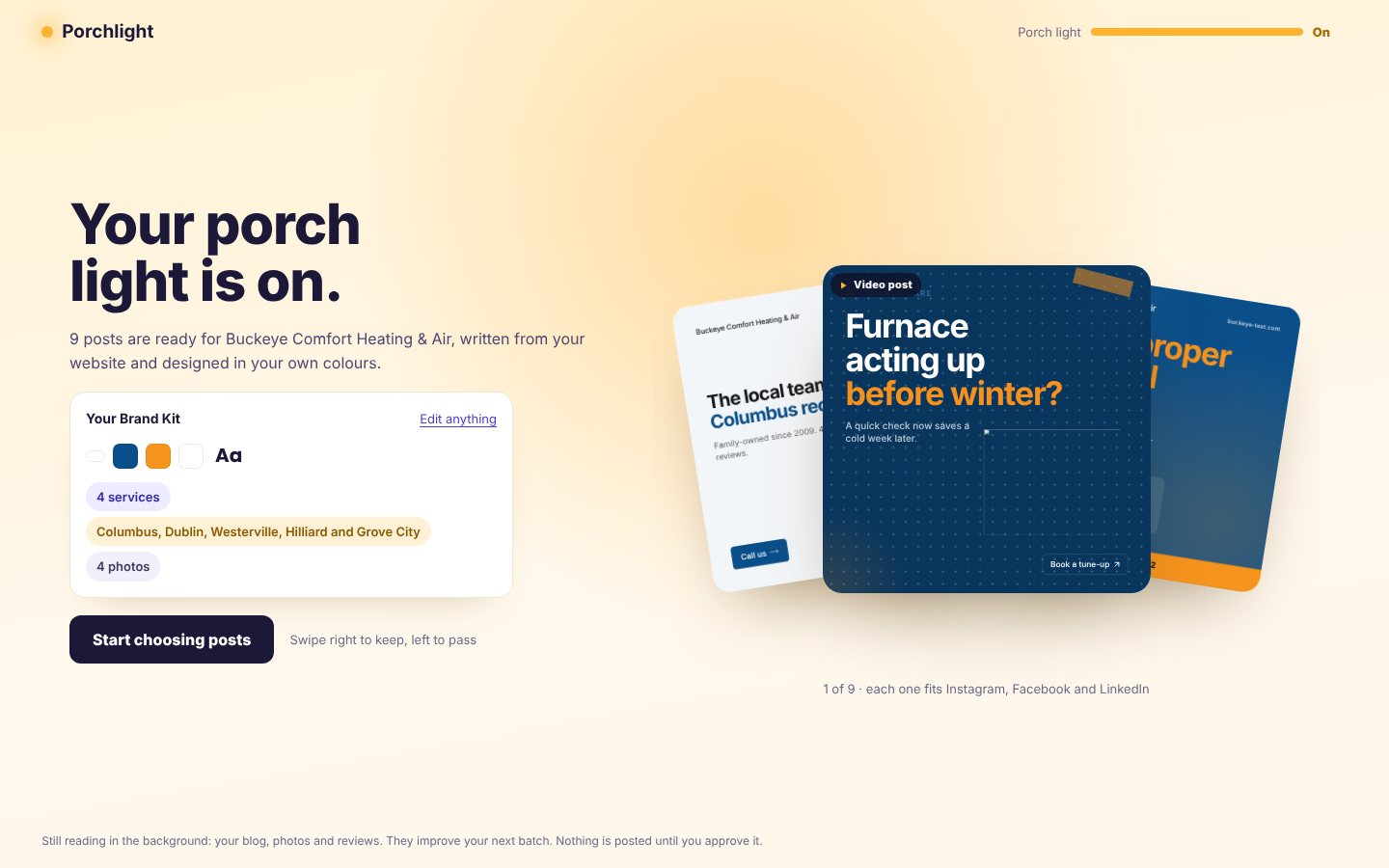
A better post editor
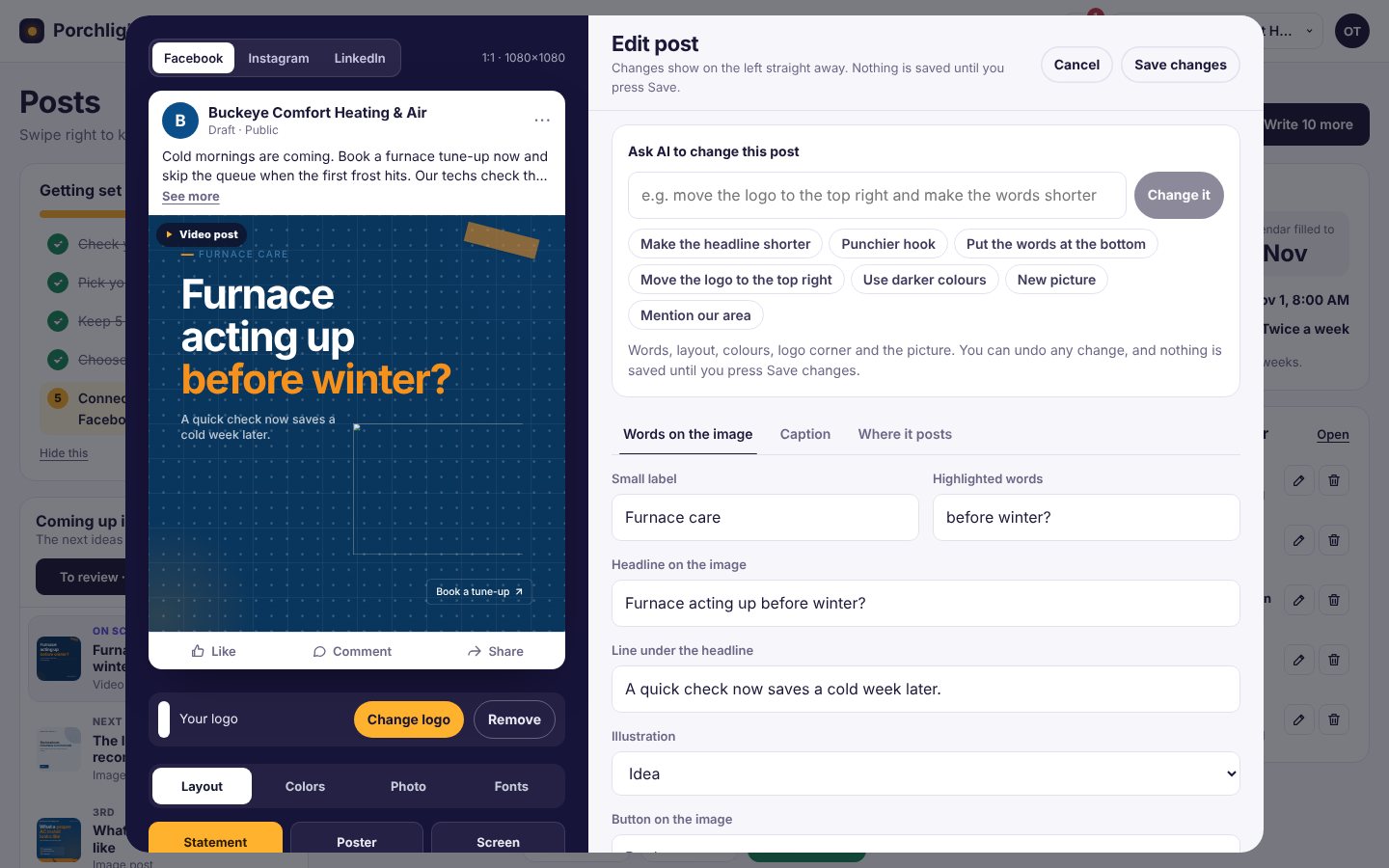
The editor now shows your post in a live feed frame while you change it. The words on the image, the caption and where it posts each have their own tab, and you can still ask the AI for quick changes like "make the headline shorter" or "use darker colours".
On your phone, in the dark
Also in 2.0
- Rename or remove a business from your account page
- Notifications when a post goes live or needs attention
- Lots of small fixes to spacing and alignment on every screen
Try it
Porchlight 2.0 is live for everyone today, including the Free plan with 10 posts a month and no card needed. If you already use Porchlight, just open your studio. Your posts, calendar and brand are all where you left them.
Start free with your website, or see the plans. We'd love to hear what you think, so just reply to any of our emails.